VidraCrypt: Zero-Knowledge File Sharing in the Browser
(Updated: )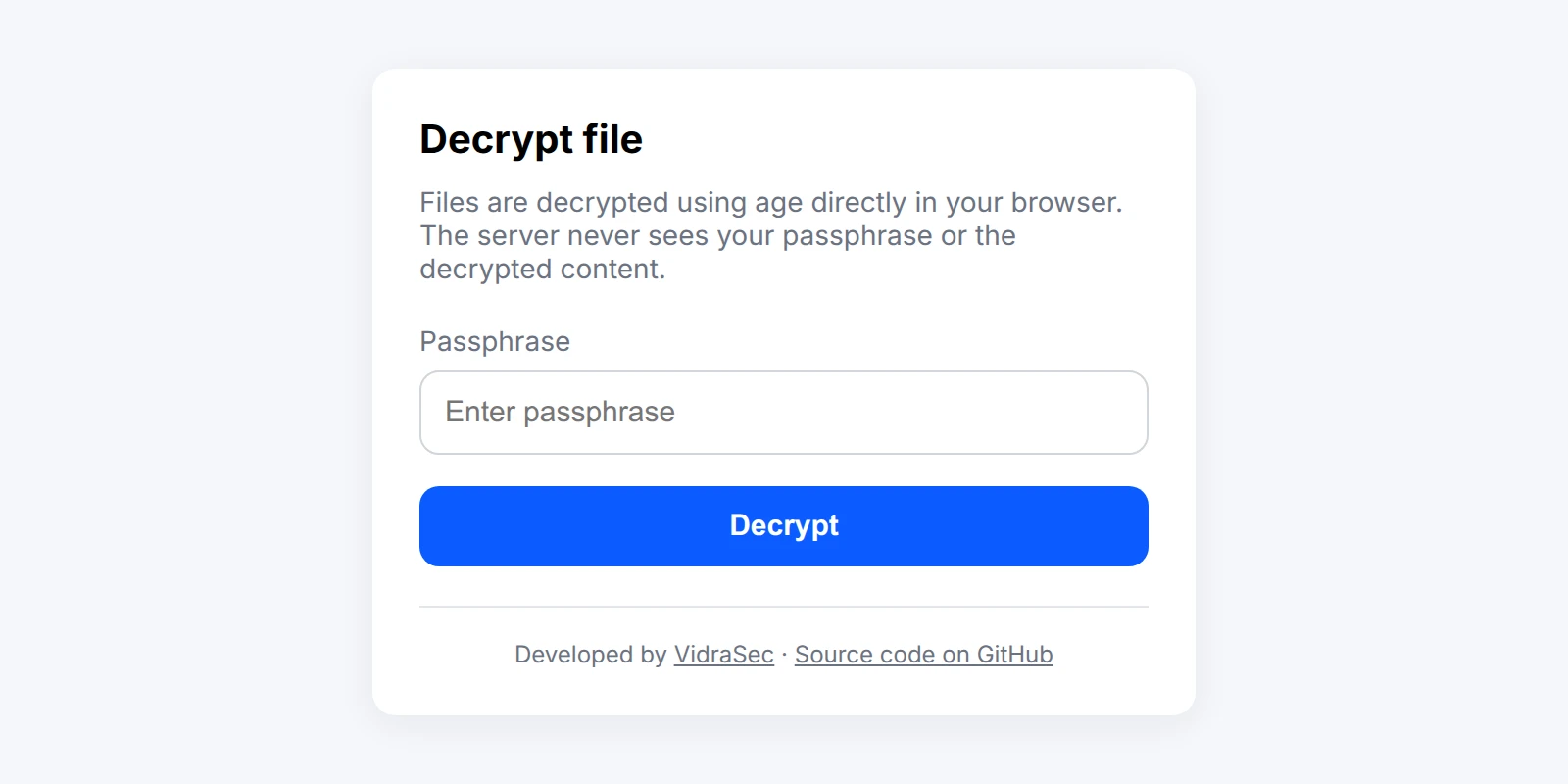
Diese Seite ist auch auf Deutsch verfügbar.
During an internal infrastructure penetration test or a web application penetration test, I regularly need to send clients things they really don’t want lying around in an inbox: the final report, extracted credentials, a dump used as proof for a finding. Email and generic file sharing tools are a bad fit for that. So I built VidraCrypt (opens in a new tab), a small open-source tool that decrypts files entirely in the browser, with the server never seeing the passphrase or the plaintext.
The problem with sending sensitive files
Pentest deliverables are some of the most sensitive documents a client will ever receive. A report lists exactly how to break into their network. An extracted credential dump stays usable until the passwords are rotated. Sending that over plain email, or through a generic file sharing service, means trusting every mail server, spam filter, and cloud provider in between.
Some clients already have PGP or S/MIME set up, which helps for the transport. But the bigger problem usually isn’t the transport at all: once a report lands in an inbox, it tends to just sit there. Forwarded across threads, synced to phones, backed up by the mail provider, still findable years later after everyone involved has forgotten it exists. A document that lists exactly how to compromise a client’s network shouldn’t turn into a permanent, forgotten attachment in their mailbox. I wanted a way to hand over a file that stays unreadable to anyone but the intended recipient, and that doesn’t leave a permanent plaintext copy sitting in an email archive by default.
How VidraCrypt works
VidraCrypt is a static web page plus a small encryption script. There is no backend, no database, and no account system:
- Encryption happens on my machine with age (opens in a new tab) in passphrase mode, using a
dicewarepassphrase (six words, standard method). Theadd-to-files.shscript wraps this: it always generates a random UUID filename for the encrypted blob (so the original filename never leaks) and writes an entry to a local metadata index. - Decryption happens in the client’s browser using typage (opens in a new tab), a JavaScript/WASM implementation of
age. The client opens a link, types the passphrase I gave them out of band (Signal, phone call), and the decrypted file downloads directly from their own browser.
The encrypted blob itself can be hosted anywhere: a Cloudflare Pages bucket, S3, GitHub Pages. VidraCrypt doesn’t care, since it’s fetched with a plain fetch() call and decrypted client-side.
The URL fragment trick
The link looks like this:
https://your-host/app/#get=<base64url-encoded-file-url>
The interesting part is the #. Anything after a # in a URL is a fragment, and browsers never send the fragment to the server as part of the HTTP request. It never hits a web server access log, a CDN log, or a proxy in between. It only ever exists inside the browser.
That means the URL pointing to the encrypted file, and by extension which file a given client received, never touches any server log along the way. decrypt.js reads the fragment client-side, decodes the base64url string back into the real file URL, validates it, and only then fetches the ciphertext.
That validation matters: the app only accepts https:// URLs with no embedded credentials, no custom port, and a path that ends in a UUID. That closes off the obvious abuse case of turning the decrypt page into an open redirector or an SSRF proxy for arbitrary URLs.
Security hardening
Since the whole security model rests on “the browser can be trusted to run this JavaScript and nothing else,” the app leans hard on browser security headers:
- A
Content-Security-Policywithdefault-src 'none'andscript-srcpinned to the exact SRI hashes ofage-0.3.0.jsanddecrypt.js. Nothing else is allowed to load or execute. Cross-Origin-Opener-PolicyandCross-Origin-Embedder-Policyset to isolate the page from other windows.Cache-Control: no-storeandClear-Site-Data: "*"so nothing about the session lingers in the browser afterwards.require-trusted-types-for 'script'to reduce the DOM-XSS attack surface.
The vendored age-0.3.0.js dependency ships with its checksum documented in the README, so anyone deploying VidraCrypt can verify it hasn’t been tampered with before serving it.
One caveat is worth being upfront about: all of this assumes the server delivering the app is itself trustworthy. If someone fully compromised the host and rewrote index.html together with its Content-Security-Policy header, they could swap in their own script (and its matching SRI hash) and, for example, log the passphrase as it’s typed. That’s a fairly unlikely attack in practice, an attacker with that level of access has easier options than waiting around for a passphrase, but it’s a real limitation worth naming: the web doesn’t have proper code signing the way native apps do, where the signing key is independent of the distribution channel. Content hashes via CSP are the closest equivalent, and they protect against a third party tampering with what’s served (a compromised CDN cache, a malicious browser extension, an injected third-party script), not against the origin server itself being compromised.
Using it
Encrypting a file for a client:
./add-to-files.sh --target-dir "encrypted-files" --base-url "https://files.example.com/bucket" "my-report.zip"
This prints the passphrase (share it over a separate channel) and a ready-made #get=... link. Upload the encrypted file to wherever the base URL points, send the client the link and the passphrase, and they can decrypt it in their browser without installing anything.
There’s a live demo (opens in a new tab) with the test password 123 if you want to try the flow yourself.
Limitations
VidraCrypt is not meant to replace end-to-end encrypted messaging for extremely high-threat scenarios. The passphrase still has to reach the client somehow, and if that channel is compromised, so is the file. It also assumes the client’s browser and device aren’t already compromised, which is true of any browser-based crypto.
Worth noting on the other side: a leaked passphrase alone isn’t enough to get the file. The encrypted blob sits behind a random UUID that isn’t guessable, so an attacker also needs the link, which travels over a separate channel from the passphrase. What VidraCrypt solves well is the day-to-day problem of getting a sensitive file to a client without leaving a plaintext copy, or the passphrase, sitting anywhere except the client’s own machine.
Related Services
- Active Directory Security Audit
- Internal IT Infrastructure Penetration Test
- Cloud Infrastructure Security Audit
- Entra ID Security Audit
- External IT Infrastructure Penetration Test
- Web Application Penetration Test
Related Blog Posts
- Improving the Performance of Linux Guests in Hyper-V
- How Much Does a Penetration Test Cost?
- Pentest Provider Checklist for DACH SMBs
- What a NIS2-Ready Pentest Looks Like for a 50 to 500 Person Company
Book appointment | martin@vidrasec.com | +43 670 3081275 | +43 670 3081275 (opens in a new tab) |